Occupational Health and Safety Practitioners are responsible for planning, implementing, and overseeing an organization’s health and safety strategy and assist in ensuring that all employees, visitors, and contractors are safe and that the organization is always compliant with the Occupational Health and Safety (OHS) Act 85 of 1993 requirements.
They co-ordinate monthly safety meetings as well as attend internal and external meetings to ensure safety issues are appropriately represented, reported, and communicated. Qualified Occupational Health and Safety Practitioners carry out regular plant/site inspections to check that policies and procedures are being properly implemented and followed.
As a health and safety Practitioner, you are responsible for identifying safety training needs for the respective employees, organizing and coordinating safety training courses, and preparing training material where and if appropriate. Upon completing the course, you will be qualified to identify hazards, manage/correct them, and compile management reports per schedules to corporate and local legislative requirements.
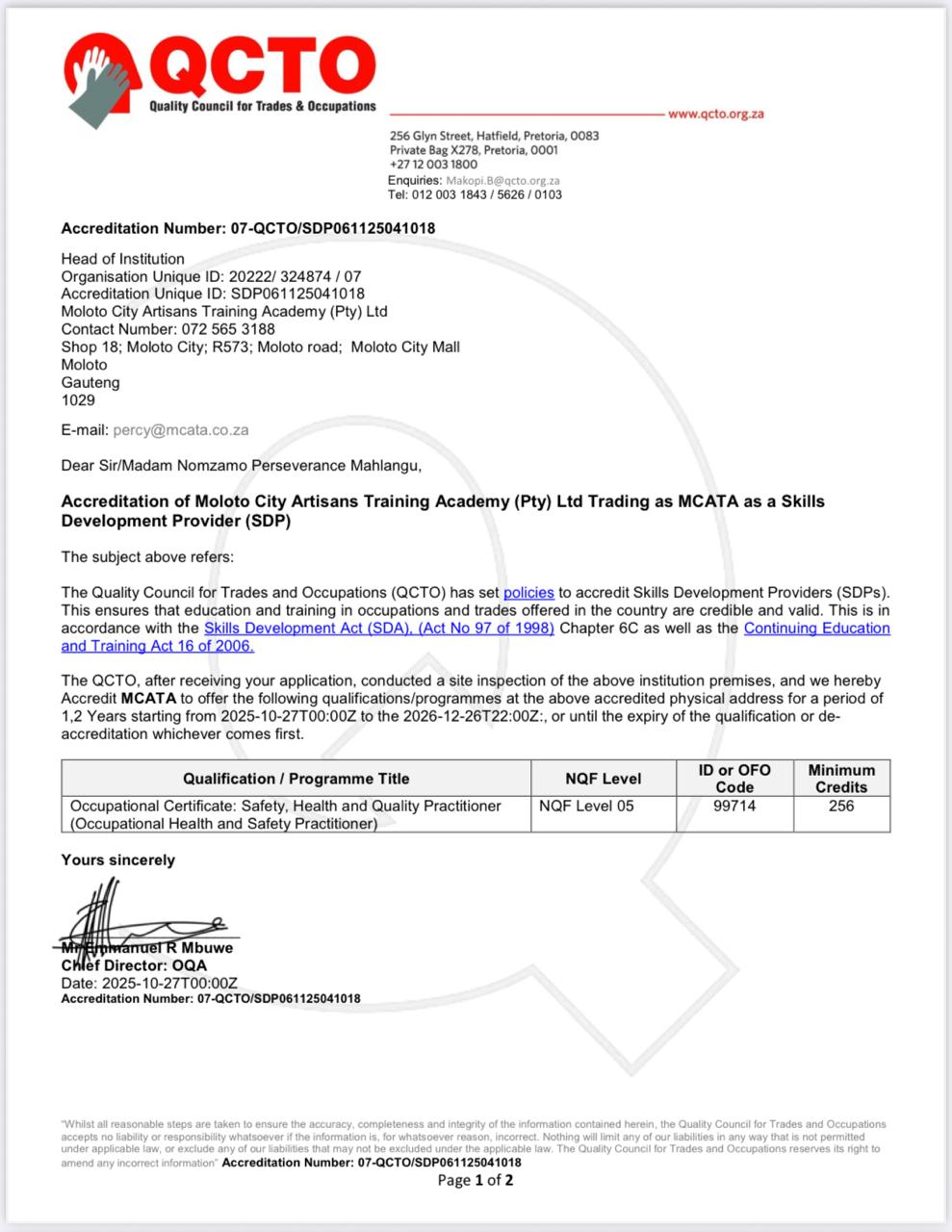
Our Occupational Health and Safety Practitioner Course is QCTO Accredited and SAQA recognised. You can enroll for the course whether you are completely new to the OHS industry, looking to be promoted from your current job or you want to explore the industry and grow in it.
Qualification Details
To join MCATA’s virtual classes smoothly, students need the following:
⸻
Device Requirements
Students can use:
Laptop (recommended) Windows or Mac with basic performance.
Tablet (acceptable) iPad or Android tablet for attending classes, reading materials & PoE.
Smartphone (minimum requirement)
Only for attending livestream — not ideal for assessments or PoE.
⸻
Internet Requirements
Minimum 5–10 Mbps stable connection For smooth audio/video.
10GB data per month (minimum) Classes are typically low–medium data usage.
Preferably uncapped or home WiFi -For full-day training or long sessions.
⸻
Software Needed
These apps must be installed:
Zoom OR Microsoft Teams
(Livestream classes)
PDF Reader For learner guides & PoE documents.
Google Chrome or Microsoft Edge For course links, downloads and uploads.
⸻
Learning Materials
Students will receive:
Digital learner guide (PDF)
PoE templates (Word or PDF)
Class schedule and meeting links
Access to revision videos (if applicable)
⸻
Workspace Setup
A quiet, comfortable environment with:
Desk/table setup
Earphones or headset
Notebook & pen
Good lighting
This is important for focus and assessments.
⸻
PoE & Assessment Requirements
For assignments and PoE upload:
Ability to type or complete digital forms
Ability to scan or photograph PoE evidence
Access to email or Google Drive / OneDrive
Some basic computer use skills
(If a student struggles, MCATA can offer a “Digital Support Day” online or onsite.)
At MCATA we embrace the holistic approach, where leaners and staff rely on the safe space afforded to them. Where creativity and fun is the order of the day.
We cater to all age groups, and we are open to innovative ideas and solutions.
Founded by a black woman who is a legal academic passionate and driven by community development, and upskilling young people from underdeveloped communities.